 Ganttry
Desktop-class project scheduling, right inside Google Workspace
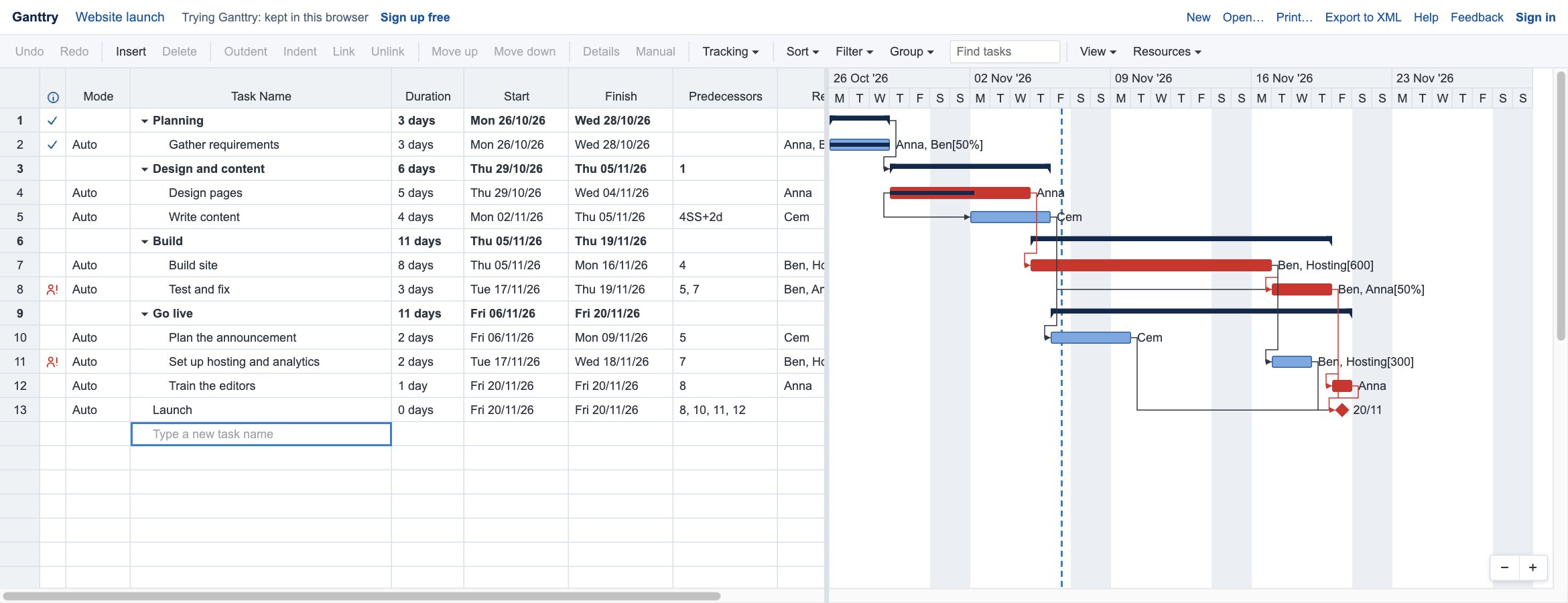
Ganttry is a Gantt chart and task table that works the way planners expect: links, critical path, baselines and resources. Your projects are saved in your own Google Drive, and it opens Microsoft Project files.
A real scheduling engine
All four link types with lag, constraints, deadlines, summary tasks, manual tasks, and the critical path with total and free slack.
Feels like a desktop tool
A spreadsheet-style grid beside the chart: keyboard shortcuts, copy and paste with spreadsheets, undo, drag to reorder, resizable columns.
Opens Microsoft Project files
Import .mpp and Project XML files from your computer or Google Drive, and export Project XML that Microsoft Project opens. Open an MPP file now.
Edit together, live
Everyone with access to the project in Google Drive can edit it at the same time and see who else is there.
Track progress
Percent complete, actual dates, a status date, and a saved baseline to compare the plan with what really happened.
Resources and costs
People, materials and costs with rates, holidays and days off, overallocation warnings and levelling.
Your projects stay in your Drive
Ganttry saves each project as a file in your own Google Drive, shared the way you share any Drive file. It only asks for access to the files you create with it or open with it, not the rest of your Drive.
Built for Google Workspace teams
- Sign in with your Google account
- Share projects with Google Drive sharing
- Works in the browser; nothing to install
- Print or save the chart as a PDF
Join the beta
Try Ganttry right away, without signing up. When you want to keep your projects, sign up free with your Google account: the first 500 people get Business free for 12 months.
Try Ganttry now